
Download PsykoPaint – free online drawing tool, photo‑to‑art converter
Overview
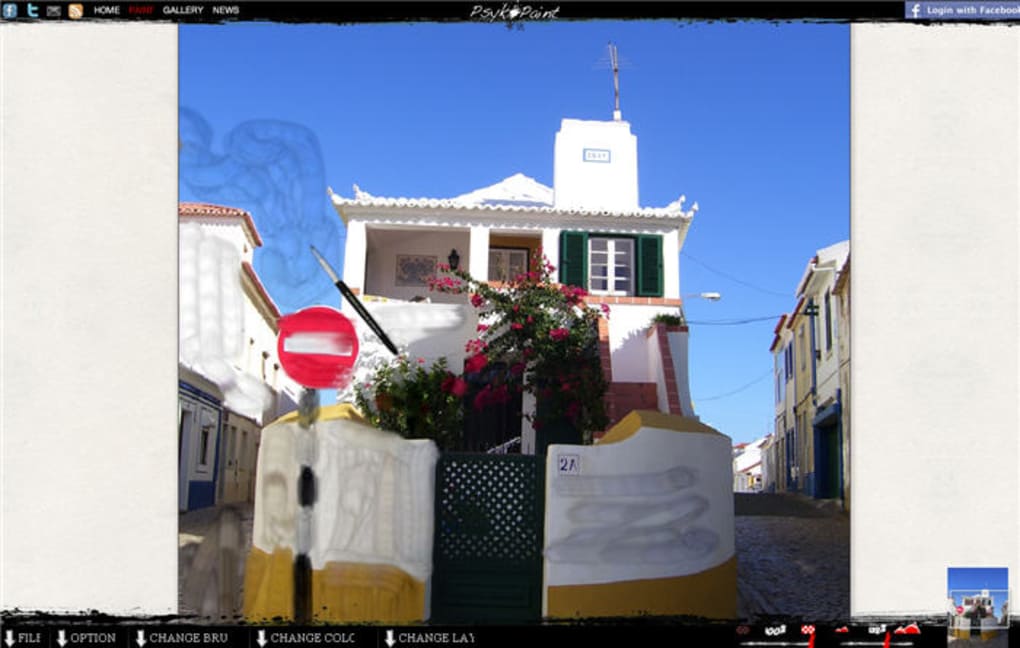
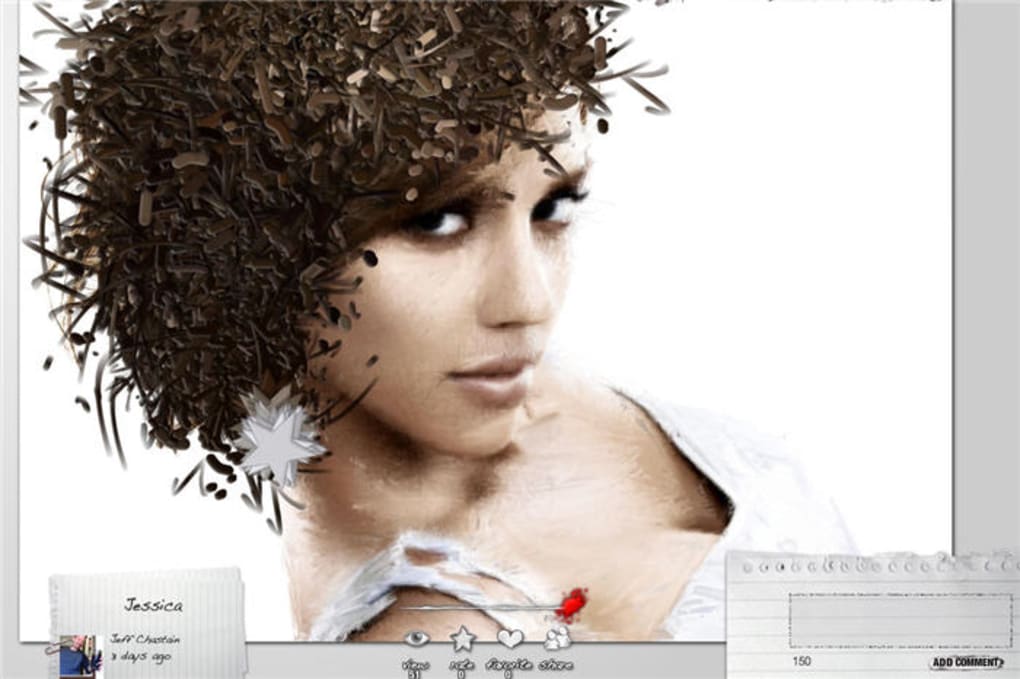
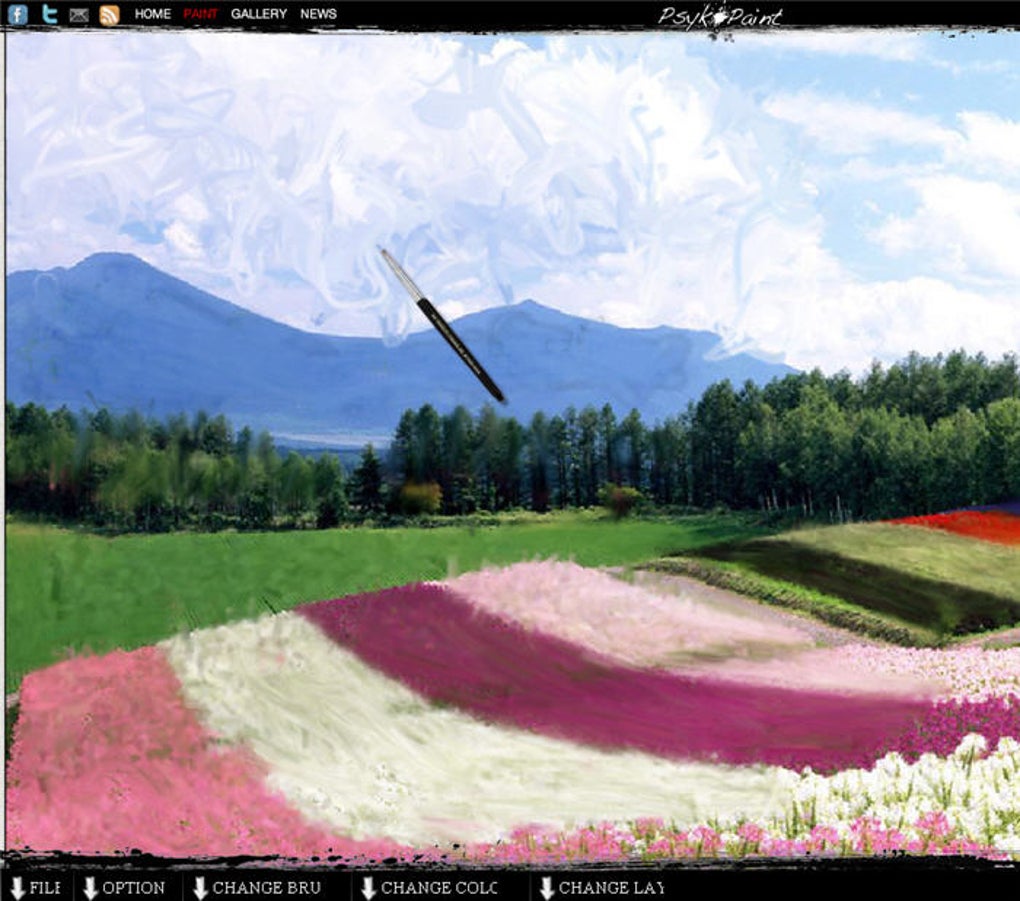
PsykoPaint is a browser‑based drawing application that turns ordinary photos into eye‑catching paintings with just a few clicks. The platform is designed for users of all skill levels – whether you’re a seasoned illustrator or someone who has never held a brush, PsykoPaint lets you load an image from your hard drive, select a brush style inspired by famous painters, and start painting over the picture in real time. The interface includes a handful of starter images for quick experimentation, but you can also begin on a blank canvas if you prefer a completely custom workflow.
PsykoPaint’s brush engine offers granular control: each brush category (Impressionist, Cubist, Abstract, etc.) comes with a “Show detail” button that expands a panel of sliders, letting you tweak texture, opacity, flow, and other parameters to achieve the exact look you want. The tool also supports layers, so you can separate background, foreground, and detail work without losing flexibility. While the menus sit at the bottom of the screen and can occasionally interfere with mouse movements near the edge, the overall experience remains intuitive and fluid.
Once your masterpiece is finished, you can export it as a high‑resolution PNG file or share it directly to the PsykoPaint online gallery, where other users can view and comment on your creation. The service runs entirely in the cloud, meaning there’s no need to install heavy software, and it works on any modern browser, making it a secure and convenient option for creative expression.
Key Features
- Photo‑to‑painting conversion: Load any JPG, PNG, or BMP image and paint over it with artistic brushes.
- Brush styles inspired by masters: Choose from Impressionist, Renaissance, Abstract, and more, each mimicking the technique of a famous painter.
- Detailed brush customization: Sliders for texture, flow, opacity, size, and pressure sensitivity let you fine‑tune every stroke.
- Layer support: Work on multiple layers, rearrange, hide, or merge them without affecting the underlying image.
- Built‑in tutorials and shortcuts: Quick access to undo, redo, eraser, and a step‑by‑step tutorial for beginners.
- Sample images and blank canvas: Start instantly with curated photos or begin from scratch for a fully original piece.
- Export options: Save your artwork as a lossless PNG or share it directly to the PsykoPaint community gallery.
- Cross‑platform web app: Runs on any modern browser, no downloads required, and works on Windows, macOS, Linux, Android, and iOS devices.
- Secure cloud processing: All work is saved locally on your device unless you choose to upload to the gallery, ensuring privacy.
- Responsive UI: The layout adapts to different screen sizes, making it comfortable on desktops, tablets, and smartphones.
Installation & Usage Guide
Because PsykoPaint is a fully online tool, there is no traditional installation process. Follow these steps to get started quickly and create your first painted masterpiece:
- Open your web browser: PsykoPaint supports Chrome, Firefox, Edge, Safari, and Opera. Ensure you have the latest version for optimal performance.
- Visit the official site: Navigate to https://www.psyko.io/paint. The homepage loads the drawing canvas instantly.
- Create an account (optional): While you can use the tool anonymously, registering allows you to save projects to your personal gallery, sync across devices, and access premium brush packs.
- Load a source image: Click the “Load Photo” button, browse your computer, and select a picture. Supported formats include JPEG, PNG, and BMP up to 10 MB.
- Select a brush style: Open the Brush menu at the bottom, choose a style (e.g., “Van Gogh – Swirl”), then click “Show detail” to adjust sliders for texture, flow, and opacity.
- Start painting: Use your mouse, trackpad, or a graphics tablet to paint directly on the canvas. The brush will follow the underlying photo, allowing you to add color, shading, and texture while preserving the original composition.
- Utilize layers: Click the “Layers” icon to add a new layer. Paint on separate layers to isolate background work from foreground details, making it easy to edit without affecting the whole image.
- Undo/Redo & eraser: The Option menu provides quick shortcuts for undo (Ctrl + Z), redo (Ctrl + Y), and eraser. These tools are essential for refining your work.
- Save or share: When satisfied, hit the “Export” button. Choose PNG for lossless quality or click “Publish to Gallery” to showcase your art to the PsykoPaint community.
- Continue editing later: If you’re signed in, your project is automatically stored in the cloud. Return anytime by opening the “My Projects” tab.
Tips for a smoother experience:
- Use a graphics tablet for pressure‑sensitive strokes; PsykoPaint detects tablet input on most browsers.
- Keep the brush size moderate when working on fine details to avoid accidental over‑painting.
- Regularly click “Save to Local” if you prefer not to store work online.
Compatibility, Pros & Cons, FAQ & Conclusion
Compatibility
PsykoPaint is a web‑based application, so it runs on any operating system that supports a modern browser. Whether you’re on Windows 10/11, macOS Monterey or later, Linux distributions, Android 12+, or iOS 15+, you can access the full feature set without installing additional software. The responsive UI ensures that toolbars and menus adjust to different screen resolutions, making the experience consistent on desktops, laptops, tablets, and smartphones.
Pros & Cons
- Pros
- Completely free to use with optional premium brush packs.
- No download required – works instantly in the browser.
- Intuitive interface suitable for beginners and professionals.
- Extensive brush library modeled after famous artists.
- Layer support gives flexibility similar to desktop editors.
- Secure local saving and optional cloud gallery.
- Responsive design works on all major platforms.
- Cons
- Bottom‑screen menus can interfere with mouse movement near the edge.
- Performance may degrade on very large images (>10 MB) in older browsers.
- Advanced features (e.g., custom brush creation) are limited to premium users.
- Offline usage is not possible without an internet connection.
Frequently Asked Questions
Is PsykoPaint really free?
Yes, the core application is free. You can load photos, use all standard brushes, and export your artwork without any charge. Premium brush packs are optional and require a one‑time payment.
Do I need a graphics tablet?
A tablet is not mandatory, but it enhances control, especially for pressure‑sensitive strokes. PsykoPaint detects most tablets automatically in supported browsers.
Can I work offline?
Because PsykoPaint runs in the cloud, an internet connection is required to load the application and save projects to the gallery. However, you can still paint offline if you previously opened the app and keep the browser tab active, but you won’t be able to export or sync.
What image formats are supported for import?
PsykoPaint accepts JPEG, PNG, and BMP files up to 10 MB. Larger files may cause slower performance, so it’s advisable to resize them beforehand.
Is my artwork private?
Yes. All files are saved locally on your device unless you choose to upload them to the PsykoPaint gallery. The platform uses HTTPS encryption for all data transfers, ensuring a secure environment.
Conclusion & Call to Action
PsykoPaint stands out as a versatile, free, and instantly accessible tool for anyone who wants to transform photographs into artistic paintings without the steep learning curve of professional software. Its extensive brush library, layer support, and intuitive UI make it suitable for hobbyists, educators, and even designers looking for rapid mock‑ups. While the bottom‑screen menus can occasionally interfere with precise mouse work, the overall experience remains smooth and enjoyable across all major platforms. Whether you’re looking to create a social‑media post, a printable canvas, or simply explore your creative side, PsykoPaint provides a secure, web‑based environment that lets you paint, experiment, and share in minutes.
Ready to unleash your inner artist? Visit the official site, load a photo, and start painting today – no download, no cost, just pure creativity.



.png)



